
How I Got Into Hyrule Thanks to AI on a 15W Linux Laptop
I’ve wanted to play Breath of the Wild for years, and I never bought a Wii U or a Switch. Every few months I’d see someone raving about it, nod politely, and go back to my terminal.
Then the decomp and recomp wave hit. People started taking old console games apart, rebuilding them as native code, and porting them to PC and Linux, a lot of it in Rust.
AI is a big part of why it’s happening now. Decompiling a game used to mean years of patient, manual reverse engineering. Agents are good at exactly that kind of grind: reading unfamiliar code, naming things, matching output, and trying again. Projects that stalled for ages are moving, and new ones keep showing up. The tooling got better at the boring parts, so people can chase the fun ones.
Suddenly “I don’t own the console” stopped sounding like a final answer. The itch came back.
So I gave myself half an hour. The whole thing, from a bare install to Link walking around, took less than 30 minutes, and that’s the AI agents’ doing, not mine. Fair warning: I ended up with an emulator, not a shiny Rust port. The itch got scratched anyway.
My machine isn’t helping the case. It’s a ThinkPad T14 Gen 1 with:
- CPU: AMD Ryzen 5 PRO 4650U, 6 cores, 12 threads, 15W
- GPU: Radeon Vega, integrated, no discrete card
- RAM: 16 GB, shared with that GPU
It’s built for spreadsheets and SSH sessions. Hyrule was not on the spec sheet.
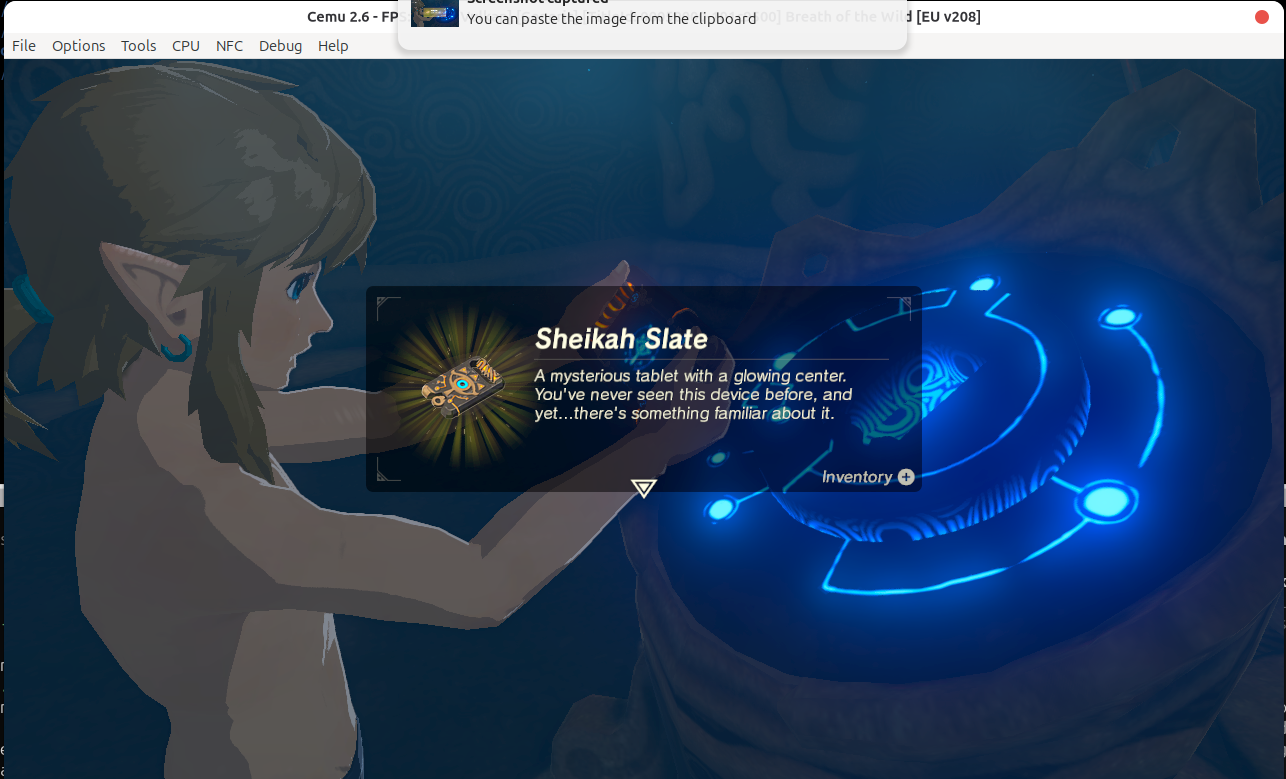
Link meets the Sheikah Slate, on a laptop that was never meant for this.
It ran at 720p. The road there, though, taught me more than the game did.
I had Cemu installed, the game files on disk, and a game that still wouldn’t play. So I handed the problem to an AI agent and watched it work.
The agent did all of the setup
Cemu 2.6 on Linux is an AppImage, so “installing” it means downloading a file and marking it executable. The agent did that, then handled everything after it: the game folders, the graphics backend, the graphic packs, the controller profile, even the dock icon. I didn’t open a single settings menu. All of it lives in plain files under ~/.config/Cemu and ~/.local/share/Cemu, and the agent wrote them directly.
The game has to look installed
Cemu doesn’t read a zip. It wants the title laid out like a console install, which for Breath of the Wild means three folders: base game, update, and DLC.
Games/
  The Legend of Zelda Breath of the Wild [Game] [00050000101c9500]/
  The Legend of Zelda Breath of the Wild [Update] [0005000e101c9500]/
  The Legend of Zelda Breath of the Wild [DLC] [0005000c101c9500]/
Each one holds a title.tmd, a title.tik, and a pile of .app files. Point Options > General Settings > Game Paths at the parent folder and Cemu scans it, finds the metadata, and lists the game by name. The update and DLC share the game ID, so Cemu applies them on launch by itself. The log confirms it:
Base:   .../[Game] [00050000101c9500]/title.tmd [NUS]
Update: .../[Update] [0005000e101c9500]/title.tmd [NUS]
DLC:    .../[DLC] [0005000c101c9500]/title.tmd [NUS]
I expected to need a keys.txt. I didn’t, because the ticket sits next to the content and Cemu reads it directly.
One dead end: I also had an Arabic localization pack. It was built for the Switch release, so it targets a different title ID. Cemu only emulates the Wii U. Check the platform a patch targets before you plan around it.
Vulkan and FPS++ made it playable
The default graphics API was OpenGL, and the log said so:
------- Init OpenGL graphics backend -------
GL_RENDERER: AMD Radeon Graphics (radeonsi, renoir, ACO, ...)
Switching to Vulkan changed it to RADV RENOIR on Vulkan 1.4. On an AMD iGPU that’s the right backend.
Next was FPS++, a community graphic pack that isn’t enabled by default. Without it, the game runs in slow motion whenever it drops below 30 fps, which on a 15W laptop happens. Dips are still there, and on an integrated GPU that’s the honest price. But with it the game stays playable instead of turning into slow motion. Closing everything else helps too, since the GPU borrows the same RAM your browser wants.
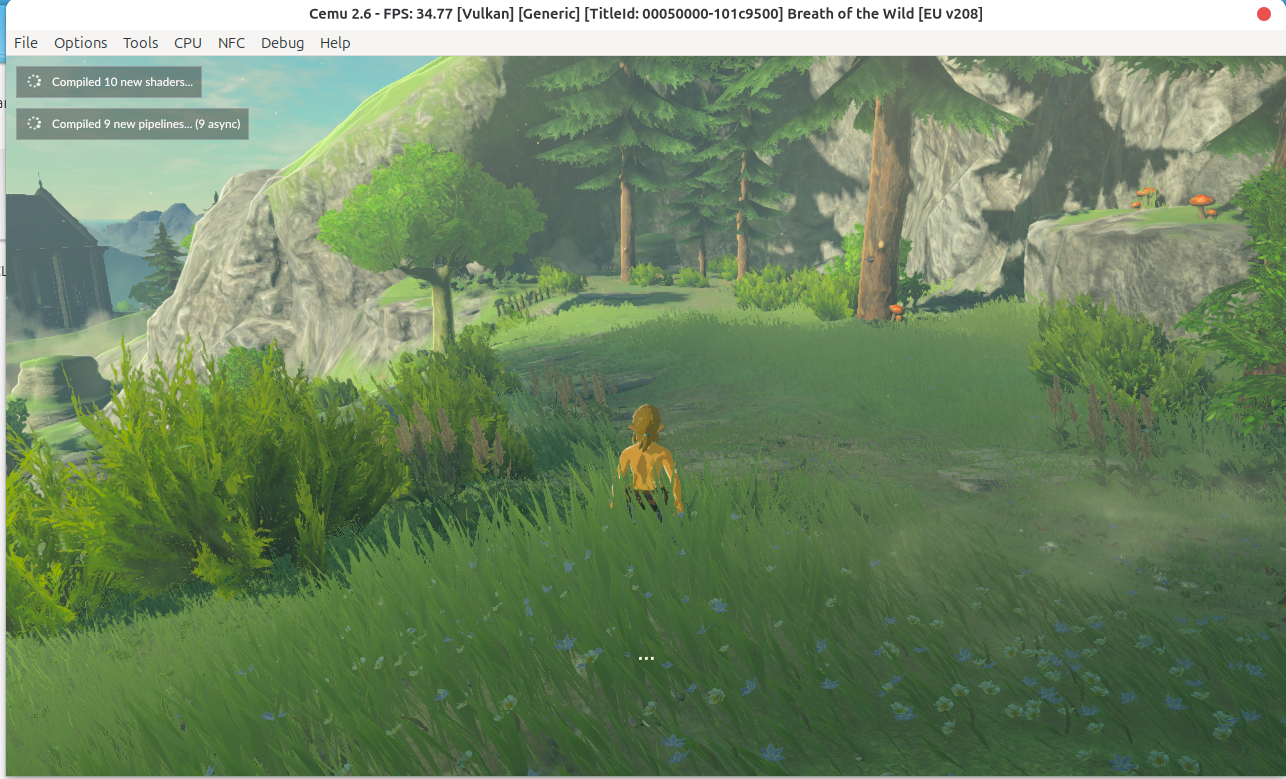
About 35 fps on Vulkan, on a 15W laptop. Not bad for a machine that was never meant for this.
The title bar tells the story: about 35 fps, on Vulkan. The two toasts in the corner show Cemu compiling shaders as it meets new scenery, which is when you’ll feel the occasional hitch. They come less often the more of the map you’ve seen.
Cemu ships with no controller
This one looks like a broken game. Breath of the Wild boots to its first prompt and ignores every key, because Cemu has no controller profile at all. No profile, no mapping, and the game waits for a button that never comes.
The game wasn’t broken. It was politely waiting for a button that couldn’t exist.
The agent wrote a keyboard profile to ~/.config/Cemu/controllerProfiles/controller0.xml:
| Wii U | Key |
|---|---|
| Move (left stick) | W A S D |
| Camera (right stick) | Arrow keys |
| Interact (A) | E |
| Run (B) | Left Shift |
| Jump (X) | Space |
| Attack (Y) | Q |
| Shield / lock-on (ZL) | F |
| Bow (ZR) | R |
| + / - | Enter / Tab |
Cemu has no mouse input, so the camera lives on the arrow keys. A few shrines need gyro, which a keyboard can’t fake.
Using a GameSir pad
I wanted to use my GameSir X2 Type-C, a phone-clip controller. Its USB-C plug is fixed and male, and so is the one on a cable, so a plug can’t go into a plug.
The fix is a female-to-male USB-C adapter: plug the female end onto the GameSir’s connector, and the male end into the laptop. The laptop then sees the pad like any other USB device. If it doesn’t show up, plug in a phone first. If the phone works, the port is fine and the problem is the pad.
The Xbox pad that wouldn’t talk
I plugged in a wired Xbox controller next. The agent read Cemu’s source to learn how it numbers buttons and axes, then wrote the full pad mapping by hand. Menus worked. The game didn’t: I couldn’t move or attack.
The agent skipped the config and read raw events from /dev/input while I pushed the sticks. The d-pad and buttons showed up. The left stick and both triggers sent nothing at all. The pad never told Linux about them, so no profile could fix it. The kernel driver was fine, and Cemu was fine. My pad was the weak link.
One more detour: Cemu’s “Failed to find controllers” message had me worried for a minute. That dialog belongs to the Pair Wii/Wii U Controller button, which hunts for Wii remotes over Bluetooth. It was never looking for a wired Xbox pad.
I’m back on the keyboard for now. It’s a debugging story I wouldn’t have solved alone: the quickest way to prove a pad is broken is to stop trusting the config and watch what the hardware sends.
A weekend project that took minutes
Here’s what stuck with me. Not long ago, this would have eaten a weekend: hunting forum threads, comparing graphic packs, guessing at XML. The hard part used to be the setup. Now it’s deciding you want something.
I told an agent I wanted to play a game I’d never owned a console for. Less than half an hour later I was standing in Hyrule, on a laptop built for spreadsheets, watching Link meet the Sheikah Slate for the first time. The itch of years, scratched before my coffee got cold.
One reminder before you rush off to try this: piracy isn’t the way in. Cemu doesn’t ship games, and neither will I. Dump the game from a Wii U you own, or buy a copy. Nintendo’s lawyers have a long memory, and I’d like my Hyrule trip to stay quiet.
And I’m just getting started. There’s a whole kingdom out there, a horse I haven’t named, and a slate full of towers to climb. Hyrule, I’m coming.