
Streaming My Android GameSir Pad to Cemu with Sunshine and Moonlight
My Xbox controller has a dead L button. In most games that’s a nuisance. In Breath of the Wild it’s a wall.
If you read how I got into Hyrule on a 15W laptop, you know the pad already gave me trouble: the stick and triggers never reached Linux at all. Now a button was gone too. I was back on the keyboard, and Link doesn’t love the keyboard.
But I had a second controller, a GameSir X2 Type-C, the clip-on kind that grips a phone. It’s built for Android, not for PCs. So I stopped trying to plug it into the laptop and asked a different question: what if the phone does the talking?
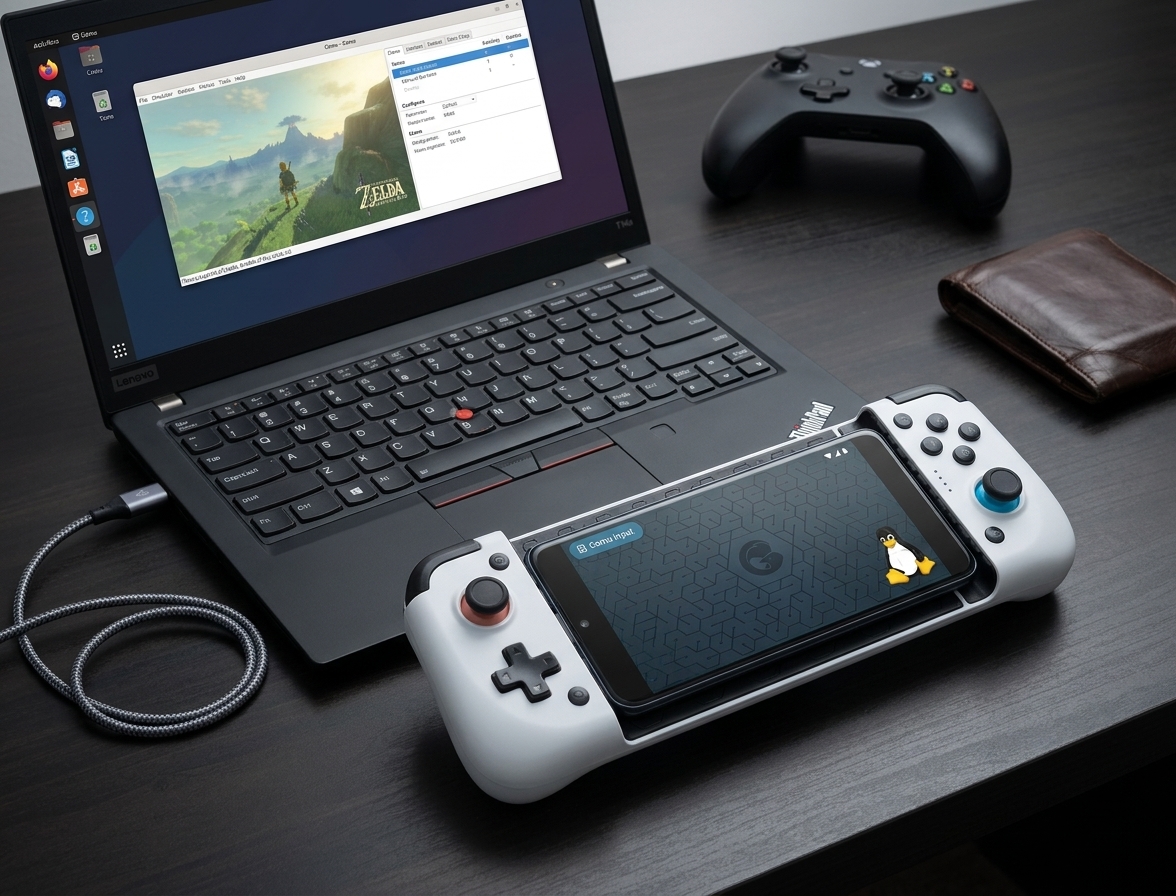
The GameSir does the work now. The Xbox pad just watches.
The idea: let the phone be the middleman
Cemu runs on the laptop, and it only sees controllers the laptop sees. The GameSir is attached to the phone. So I needed something that carries the phone’s controller input over Wi-Fi and shows up on the laptop as a real gamepad.
That something is a game streaming pair:
- Sunshine runs on the PC. It’s a self-hosted stream host.
- Moonlight runs on the phone. It’s the client.
They’re made for streaming games to a phone. But on the way, Sunshine creates a virtual Xbox controller on the PC and feeds it whatever the phone’s gamepad does. Cemu doesn’t know or care that the buttons started life on Android.
That’s the trick. Not a better pad, just a different road to the same laptop.
Install Sunshine on the PC
I’m on Ubuntu 26.04, and Sunshine ships a .deb for it. Grab the one that matches your release from the Sunshine releases page, then:
sudo apt install ./sunshine_*ubuntu26.04_amd64.deb
The service name isn’t sunshine, it’s a long one. Start it, and enable it at login:
systemctl --user enable --now app-dev.lizardbyte.app.Sunshine.service
Then open https://localhost:47990, accept the certificate warning, and set a username and password.
One more thing: Sunshine needs /dev/uinput to create the virtual pad. On my machine it’s owned by the input group and my user was already in it, so it just worked. If yours isn’t, Sunshine’s udev rule and the input group are the place to look.
Install Moonlight on the phone
Moonlight is on the Play Store and F-Droid. I installed the APK from GitHub over adb, since my phone was already plugged in:
adb install app-nonRoot-release.apk
Pair them
Make sure the phone and the PC are on the same Wi-Fi. Then:
- Open Moonlight. Your PC should show up. If it doesn’t, add it by IP.
- Tap it. Moonlight shows a 4-digit PIN.
- In the Sunshine web UI, go to PIN, enter the code and a device name, and send it.
Paired. Start a Desktop stream and you’ll see your laptop screen on the phone.
Connect the GameSir and get it into Cemu
Clip the GameSir onto the phone and check it works inside Moonlight. Then press a button during the stream. The virtual pad only appears on the first input. You can check it on the PC:
grep -iE 'Name=' /proc/bus/input/devices | grep -iE 'xbox|gamepad'
I got this:
N: Name="Sunshine (libvirtualhid) X-Box Series Controller"
Now Cemu:
- Options → Input settings, pick the emulated controller (Wii U Pro Controller or GamePad).
- Click the + to add an input API and choose SDLController.
- Open the Controller dropdown. It only scans when you open it.
- Pick the X-Box Series Controller, then hit Auto-assign.
Save the profile and you’re done.
Gotchas that cost me time
- The pad doesn’t exist until you stream. My Controller list was empty at first, because there was no stream and no button press yet. Start Moonlight, press a button, then open the dropdown.
- It vanishes when the stream stops. Every session is the same order: stream first, Cemu’s input settings second.
- Don’t map the old Xbox pad to the same player. Give it another slot, or unplug it.
- The Wii U layout swaps A/B and X/Y. Auto-assign handled it for me.
So, does it play?
Yes, and it’s a pleasure to use. Breath of the Wild runs with a real controller again, L button included.
I expected latency from the Wi-Fi hop. I don’t feel any. And there’s no cable: the GameSir is wireless, so I can play from the couch while the laptop sits on the desk.
The broken Xbox pad is still in the drawer. The GameSir has a new job, and Link has his L button back.